Home Software Integration Testimonials A/B Testing Clients About Us Our Team Pricing Login Register

Integration Guide

Go Live in 4 Simple Steps

Connect SortExpress to your campaigns in minutes. No developer needed — just follow these four steps and your AI will start optimizing immediately.

Create Account — Start Free

How to Set Up SortExpress

From sign-up to live AI optimization in under 10 minutes.

1

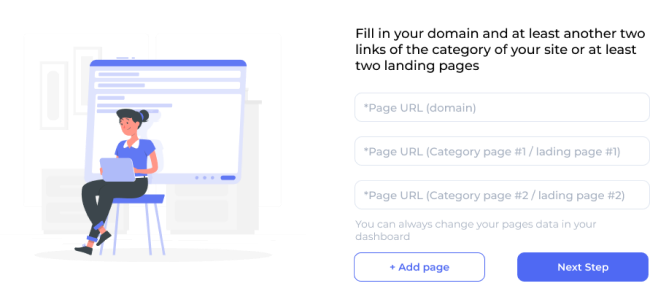
Add Your Landing Page URLs

Log in to your SortExpress dashboard and navigate to the campaign setup. Paste in all the landing page URLs you want to test — these are the pages visitors will be sent to. You can add as many pages as your plan allows. SortExpress will rotate traffic between them and track performance for each one individually.

Tip: Add at least 2 landing page variants to start seeing meaningful AI optimization results.
2

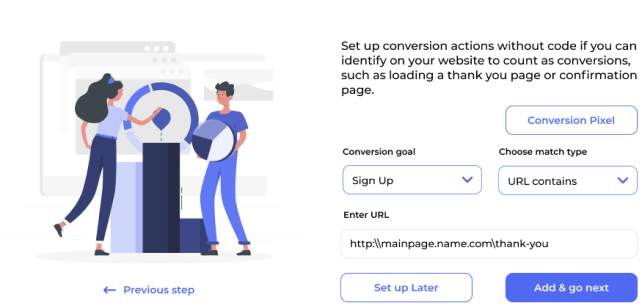
Set Your Thank-You Page

Tell the AI what a "conversion" looks like for your business. Enter the URL of the page visitors reach after completing your goal action — this is typically a thank-you page, confirmation page, or success page shown after a form submission or purchase. SortExpress uses visits to this page as its primary optimization signal.

Tip: Make sure your thank-you page has a unique URL and is only reachable after a real conversion.
3

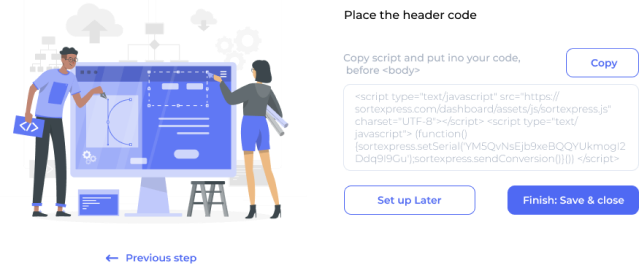
Add the Analytics Code to Your Pages

SortExpress provides a single line of JavaScript. Paste it into the <head> section of every landing page and on your thank-you page. This code enables the AI to track which page each visitor arrived on and whether they converted — the foundation of all optimization decisions.

Tip: Use Google Tag Manager to deploy the code across all your pages at once without editing each page manually.
4

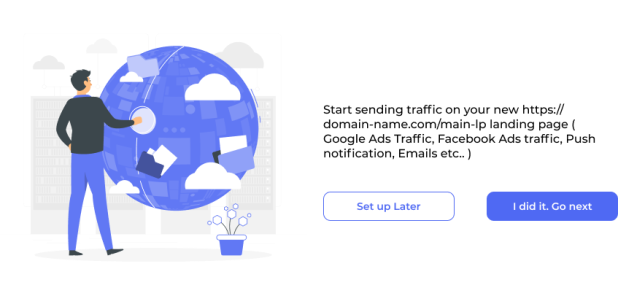
Live A/B Testing Starts Automatically

Replace the destination URL in your Google Ads, Facebook Ads, email campaigns, or any other traffic source with your SortExpress SmartLink. From this moment, every click is handled by the AI. It distributes traffic across your pages, continuously measures conversion performance, and automatically shifts more traffic to the best-performing variant — improving your results in real time.

Tip: Give the AI at least a few hundred clicks to accumulate data before interpreting results.

Works With Every Traffic Source

Your SortExpress SmartLink is a universal destination URL. Use it anywhere you can place a link.

Google Ads — Search, Display, Shopping
Facebook & Instagram Ads
Email Marketing Campaigns
SMS Marketing Links
Push Notification Clicks
Affiliate Traffic Links
LinkedIn & Twitter Ads
Any URL-based traffic source
SortExpress Dashboard Integration

Ready to Start Your First Live A/B Test?

Create Free Account